
KassaBet App: playing from your phone for regular players
Updated: 11 November 2026
The KassaBet app is a browser-based web application that allows you to access the entire casino lobby, cashier, and support features directly from your mobile device without a download. You can easily add the platform to your phone’s home screen via Chrome or Safari to create a native-like experience that functions across all modern smartphones.
KassaBet app: adding it to your home screen
| Device | Steps |
|---|---|
| iPhone (Safari) | Open the casino, tap Share, select Add to Home Screen |
| Android (Chrome) | Open the casino, tap the menu (three dots), select Add to Home screen |
Using the web app provides a seamless interface that adjusts automatically to your screen size. There are no technical requirements to install large files, as the platform runs entirely within your mobile browser, ensuring your device storage remains free.
KassaBet mobile casino: why it runs in the browser
There is no downloadable app in the Apple App Store or Google Play Store, and the platform operates exclusively through a mobile-responsive web app. This choice ensures that all players have access to the same game library, bonus features, and payment methods regardless of their operating system or device model. By utilizing a browser-based approach, the casino avoids compatibility issues often found with native software updates, providing you with instant access to the latest slots and live tables as soon as they are released by the studios. You can sign in using your existing account details, ensuring your progress, VIP status, and balance are always synchronized across your mobile and desktop sessions.
KassaBet casino app: what works on mobile
The mobile interface is designed to be fully functional, meaning you lose no features compared to the desktop version. You can manage your entire account directly from your phone, including depositing funds using methods like Skrill, Neteller, or cryptocurrency, and requesting withdrawals once you have met the necessary wagering requirements. The game lobby is optimized for touch interaction, with 3,000+ titles ranging from classic slots to live dealer games available at your fingertips. If you encounter any issues, the live chat feature is integrated directly into the mobile menu, allowing you to connect with the assistant Kassi and human operators at any time. For a clearer picture of how other players find the platform on mobile, you can read more at KassaBet Trustpilot to see common feedback and experiences.
KassaBet app: on iPhone via Safari and Android via Chrome
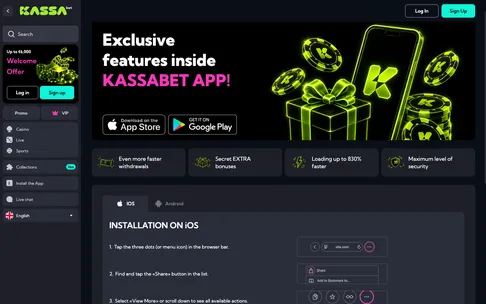
To turn the KassaBet site into a web app on an iPhone, launch Safari and navigate to the casino, then tap the share button (the square with an arrow) located at the bottom of the screen. Scroll down the menu until you see the option Add to Home Screen, which will place a direct shortcut icon among your other apps. For Android users, open the site in the Chrome browser, tap the three-dot menu icon in the upper right corner, and select Add to Home screen from the dropdown menu. Once added, the site will behave like a standalone application, launching in its own window without the browser address bar, which maximizes the screen space available for your games and account management.
On iPhone you add KassaBet to your home screen via Safari and the Share button. No App Store download is needed.
KassaBet app: short answers
Can I download a native KassaBet app from the app stores?
You do not need to download anything because the platform runs directly in your mobile browser as a KassaBet web app. You get instant access to over 3,000 games from more than 50 studios without taking up storage space on your phone.
How do I add the KassaBet casino app shortcut to my home screen?
On an iPhone, open the site in Safari, tap Share, and select Add to Home Screen, while on Android you open Chrome and tap Add to Home screen from the menu. Once pinned, you can register an account in about 2 minutes and start playing right from your main screen.
Are the same bonuses available in the KassaBet mobile casino?
Yes, you can claim the 100% welcome bonus up to €750 plus 100 free spins on Big Bass Vegas directly from your smartphone. Simply tick the opt-in box in the mobile cashier before making a minimum deposit of €20.
What payment methods and limits apply when using my phone?
You can top up your account instantly from €20 using Apple Pay, Visa, Mastercard, Trustly, Skrill, or Neteller, or deposit around €30 in cryptocurrencies. Mobile withdrawals start at €30 with a monthly cashout limit of €40,000 and an average internal review time of 4 hours.
Can I play live dealer games and contact support on mobile?
The mobile site includes over 180 live casino tables with betting limits ranging from €0.50 to €10,000. If you need assistance while playing on the go, the live chat is open 24/7 where the virtual assistant Kassi connects you to a human agent.